How to Plan a VR Experience for a Trade Show Booth
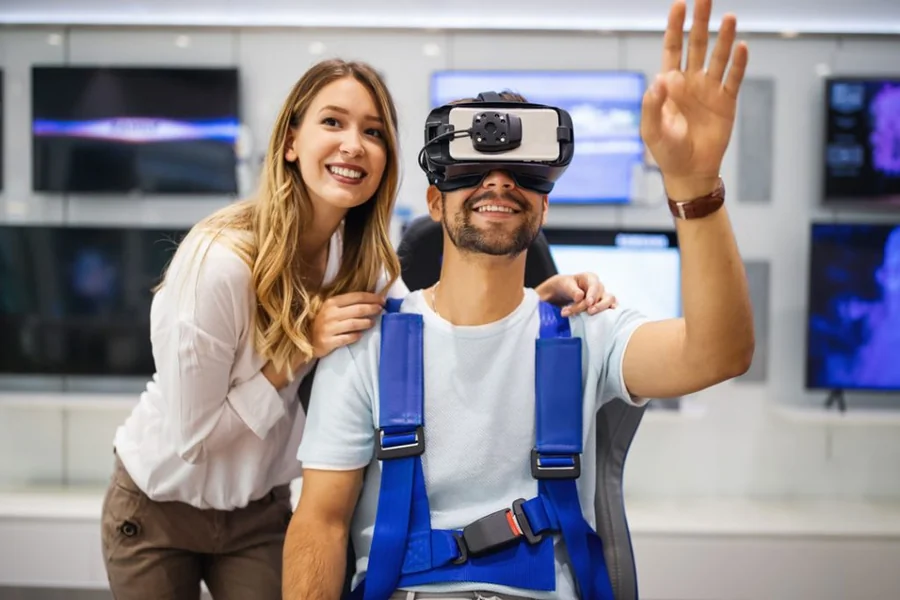
To plan a VR experience for a trade show booth, start with one clear goal, build or choose a short demo of three to five minutes, work out the floor space and how many visitors you can move through per hour, pick reliable headsets, show the action to the queue on a screen, and keep everything clean with a trained attendant. Test it all before the show opens.
Booths that only show a brochure on a screen tend to blend into the aisle. That is why more exhibitors now look into VR headset rental for events as a way to give visitors something they can step into, without owning headsets that sit in a closet for the rest of the year.
What Does a Good VR Booth Experience Need?
A good VR booth experience has a single purpose, a demo short enough to keep the line moving, a clear floor area, reliable headsets with spares, a screen that lets the queue watch, a hygiene routine and a staff member running it. Add a simple way to capture leads, and test the whole setup on build day.
What Does a VR Booth Experience Involve?
A VR booth experience is a short, headset-based demo that lets visitors see a product, place or process in an immersive 3D environment at your stand. It usually combines headsets, a defined play area, a content package and a staff member who guides each visitor.
Done well, it stops people in the aisle and starts real conversations. Done badly, it creates a long line, a confused visitor and a stand nobody wants to walk past.
Hardware planning deserves as much thought as the content. A provider such as The Tekk Group supplies VR and AR kit for events, so you can ask about headsets, accessories and delivery in one conversation and get a sensible answer on what your booth size can handle.
How to Plan Your VR Booth, Step by Step
Step 1: Set One Clear Goal
Decide what a visitor should do after the headset comes off: book a meeting, scan a code, request a quote or visit another part of the stand. Every choice that follows should serve that single outcome.
Step 2: Choose a Short, Comfortable Experience
Aim for three to five minutes. Longer demos clog the queue, and fast movement can make some visitors uncomfortable. Product walkthroughs, virtual site tours and simple training scenarios work well. Offer a seated option for anyone who prefers it.
Step 3: Work Out Space and Throughput
Room-scale VR commonly needs a clear area of around 6.5 by 6.5 feet, though you should follow your headset’s guidance and the exhibition hall’s rules. Then do the math. A four-minute demo plus a one-minute swap means about 12 visitors per hour per headset, so add stations to match the traffic you expect.
Step 4: Choose the Right Headsets
Standalone headsets run on their own and are simple to set up. PC-connected headsets can deliver richer graphics but need a computer and cables. Many exhibitors arrange VR headset hire for events so they can match the model to the demo and bring extra units for spares. Always have at least one backup headset and a charger for every unit.
Step 5: Let the Queue Watch
Mirror the headset view to a nearby screen. Waiting visitors see what the experience looks like, and passersby get a reason to stop. It also lets your team explain features while the headset wearer explores.
Step 6: Keep It Clean and Safe
Shared headsets need a hygiene routine. Use disposable face covers where suitable and wipe down headsets and controllers between users following the manufacturer’s guidance. Keep the floor clear, ask visitors about discomfort before they start and stay within the manufacturer’s age recommendations.
Step 7: Staff It and Capture Leads
Assign an attendant to fit headsets, explain the controls and keep an eye on the player. Place a QR code or lead capture tablet at the exit of the queue so interest turns into a follow-up.
Step 8: Test and Plan Backups
Run content locally rather than relying on venue Wi-Fi, which is often overloaded on show days. Test everything on build day, keep spare batteries and cables, and prepare a simple fallback such as a video loop if a headset fails.
Owning or Renting VR Equipment
Both routes work, depending on how often you exhibit. This table shows where each tends to fit.
| Factor | Owning headsets | Renting headsets |
| Number of units | Fixed by what you bought | Scale up or down for each show |
| Updates and upkeep | Your team handles them | Often handled by the provider |
| Storage between shows | You store and maintain them | Nothing to store |
| Multi-city tours | Ship kit between venues | Delivery can be arranged near each venue |
| Best for | Frequent, year-round use | Occasional or varying events |
Exhibiting in several cities? VR headset rental USA wide means kit can be delivered near each venue instead of being shipped between them. For one-off or varying shows, virtual reality equipment rental also removes the storage and updates that come with owning headsets.
Common Mistakes to Avoid
- Building a demo that runs too long for a busy show floor.
- Underestimating the floor space the play area needs.
- Relying on venue Wi-Fi to run the experience.
- Forgetting a hygiene routine and spare supplies.
- Running the station without a trained attendant.
Frequently Asked Questions
1. How long should a VR demo at a trade show last?
Three to five minutes is a good target. It is long enough to impress and short enough to keep the line moving.
2. How much space does a VR station need?
Room-scale VR commonly needs about 6.5 by 6.5 feet of clear floor, while seated demos need less. Check the headset guidance and the venue’s rules.
3. How many visitors can one headset handle per hour?
Roughly 10 to 12, assuming a four-minute demo and a short swap between users. Add headsets if you expect heavy traffic.
4. Should I use standalone or PC-connected headsets?
Standalone headsets are simpler and quicker to set up. PC-connected models suit demanding graphics but need a computer, cables and more floor space.
5. How do I keep shared headsets hygienic?
Use disposable face covers where suitable, wipe headsets and controllers between users and follow the manufacturer’s cleaning guidance.
6. Do I need staff at the VR station?
Yes. An attendant fits the headset, guides the visitor, watches for discomfort and keeps the queue moving.
Final Thoughts
A strong VR booth is built on small, practical decisions: a short demo, enough space, spare headsets and someone who knows how to run it. Get those right and the technology fades into the background while visitors enjoy the experience. For teams arranging VR equipment for exhibitions, The Tekk Group is a dependable place to start, and the team can talk you through headsets, accessories and delivery before build day.

Leave a Reply