How to Keep Your Brand’s Message Consistent Across Every Video Using Vidnoz AI?
A brand can be featured everywhere from Instagram and YouTube to its website and e-mail campaigns. The video type might be different for each platform. However, the message should still appear as if it is from the same business. If the videos include different tones, colors, presenters or words, the audience might not be able to identify the brand. This may occur if multiple workers produce video material independently. This can become a bigger problem as your brand is not appearing consistent on different platforms. As Entrepreneur notes on building real brand recognition, that recognition is earned through repetition and steady signals over time.
Businesses can leverage AI video tools to develop a more relatable video tone and appearance. If you are still comparing options, our look at which AI video model is better for you is a useful starting point.
Use Vidnoz AI to Give Every Video a Familiar Brand Identity
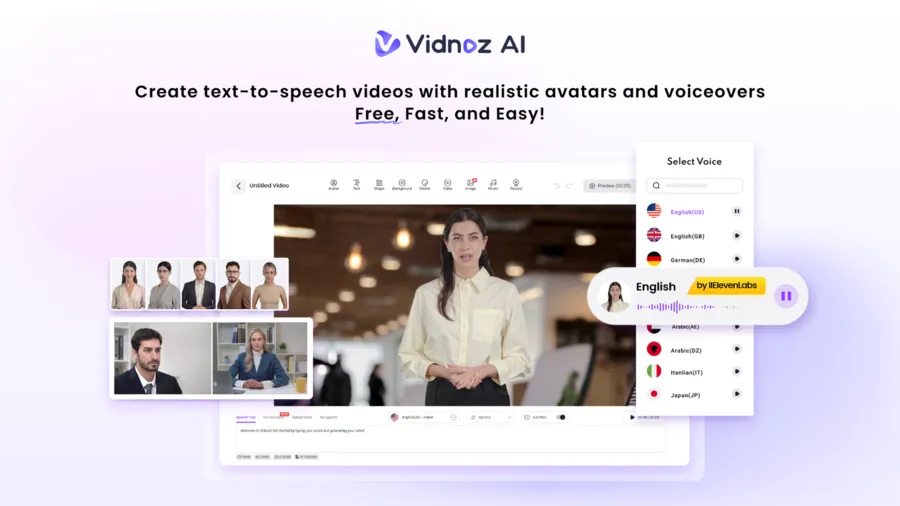
Vidnoz AI video generator provides tools to make AI voice videos, AI avatar videos, template videos, and edit visual elements. The platform can be used for creating product explainers, promotions, business announcements, tutorials, and more.
Information security is also important when businesses work with company materials and digital content. Vidnoz has achieved ISO/IEC 27001:2022 Certification for its information security management system. It means the information you use to make videos is safe there.
Amazing Vidnoz AI Features That Support Brand Consistency
Here are the features that make Vidnoz Ai an amazing video generator
More Than 2,000 Lip-Sync AI Voices
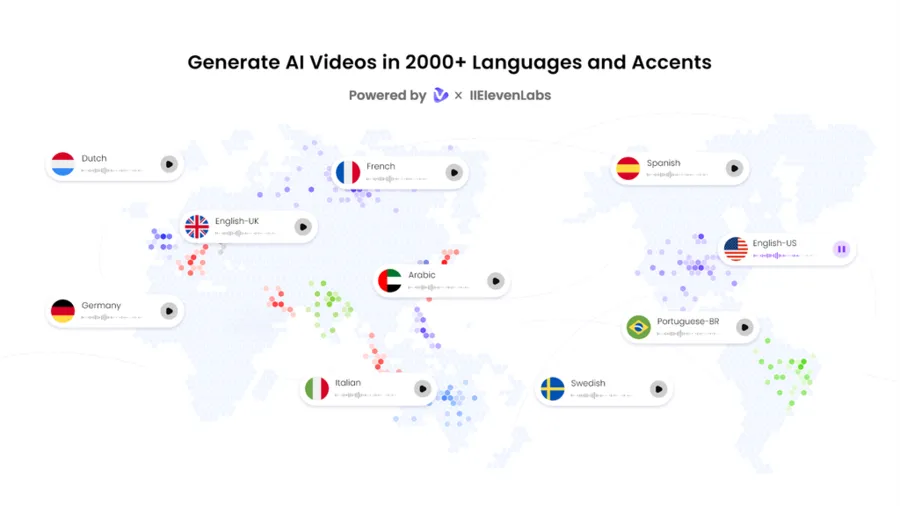
The tone of voice in a video is what makes the difference. Vidnoz AI has over 2,000 AI voices to choose from. Teams can select voices to match their natural style of speaking and apply it to various type of content.
Over 2,800 Templates for Different Video Formats
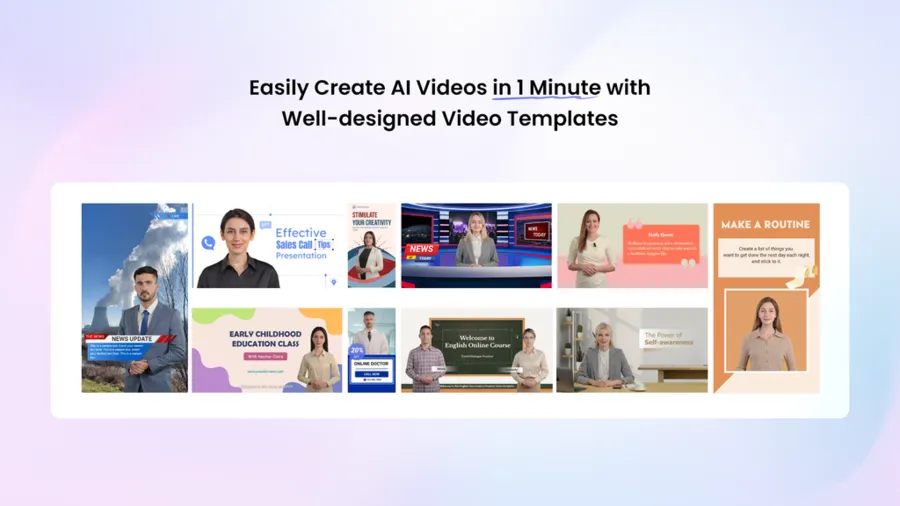
Vidnoz AI provides more than 2,800 video templates for different purposes. These pre-made designs provide a template for teams to start from rather than having to create complete videos from the ground up.
Companies can choose a number of templates that are suitable for their brand. These designs can be reused, giving them a familiar look in social media posts, product videos, and company updates.
Get 30 Credits for Free
Businesses can explore Vidnoz AI before making a paid commitment. The free option gives new users an opportunity to test the platform and learn how its video creation tools work. The option to get 30 credits for free can be useful for trying different video styles.
More Than 1,900 Realistic AI Avatars
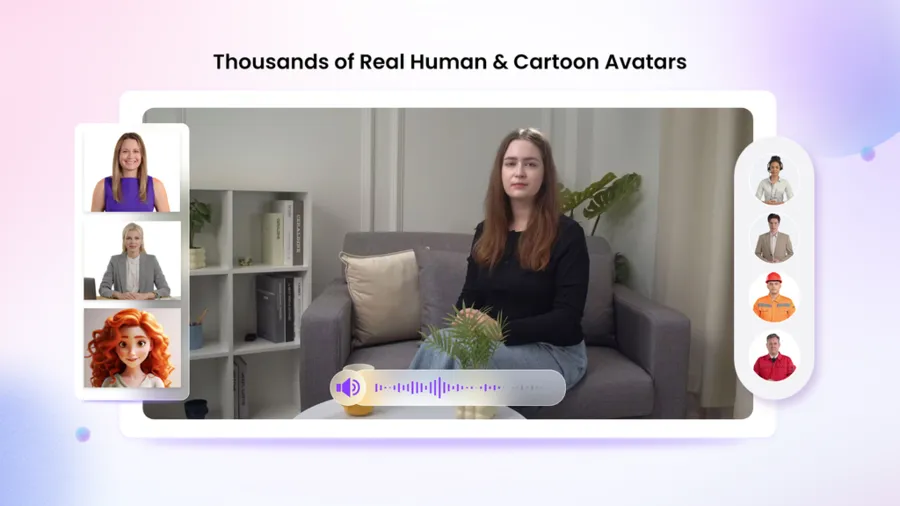
Vidnoz AI offers a large library of lifelike avatars representing different industries and roles. Users can choose from different avatar options.
If you want to create a digital-twin quickly, you can use Avatar Lite. Custom Avatar Pro provides more advanced features. This creates a digital twin that can replicate a person’s appearance, voice and talk in various languages.
Motion Avatars add full-body movements. They can also be used for cartoon-style videos.
Expressive Avatars with realistic gestures and facial expressions add life to video presentations for more natural gestures and facial movements.
How to Use Vidnoz AI Workflow for Branded Videos?
Here are the steps you can follow to use Vidnoz AI
Select a Suitable Video Layout
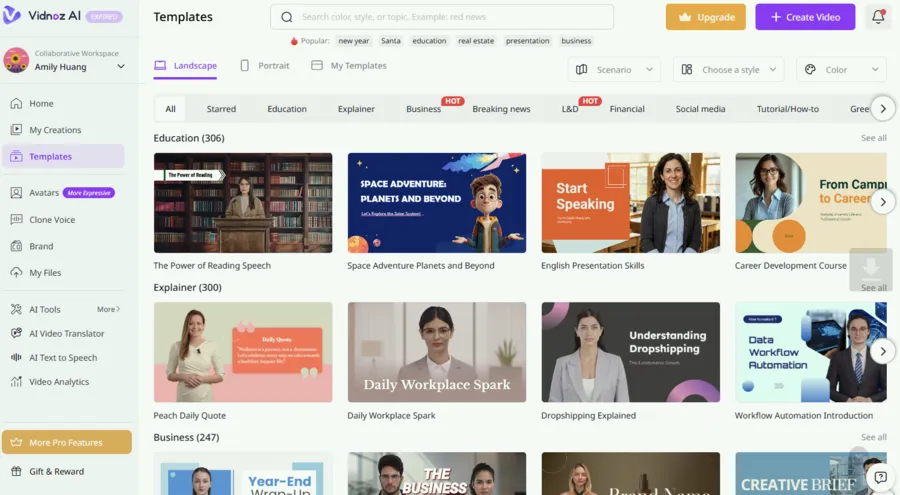
Open Vidnoz AI and explore its template collection. Choose a design that matches your brand’s usual appearance and the purpose of the video. Save a few preferred layouts as starting points for future projects.
Prepare the Script and Voice
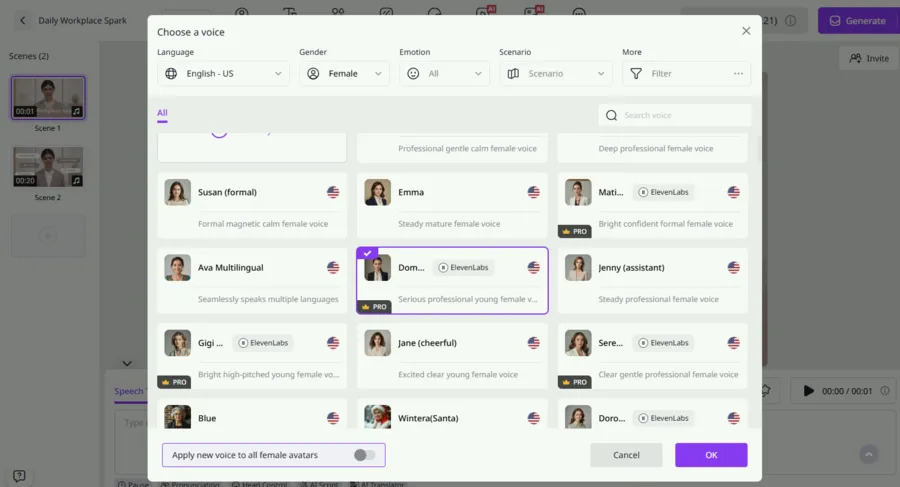
Use your company’s style and language to write the message. Then add the script to the project and choose an AI voice that is suitable for your brand. Maintain consistent voice throughout the videos to make it easy for viewers to recognize the speaker.
Add Your Brand’s Visual Details
Use your logo, colors, images, captions and other visuals. If you need a presenter for your video, select an avatar. Run a style check for text and graphics, to make sure they do not distract from the main message and are in line with the style guide.
Generate and Check the Final Video
Create video and check before sharing. Watch for differences in voice, spelling, logo, design elements, and message. When it is approved, export it and publish it on the platforms where your audience watches content.
Final Thoughts
A recognizable brand is built through repeated experiences. The colors, voice, visuals, and wording used in videos all play a part in how people remember a business.
Vidnoz AI can help teams create videos with reusable templates, AI voices, and digital presenters. By combining these tools with a clear style guide and a simple review process, businesses can produce content for different platforms while keeping their brand message connected.
Leave a Reply