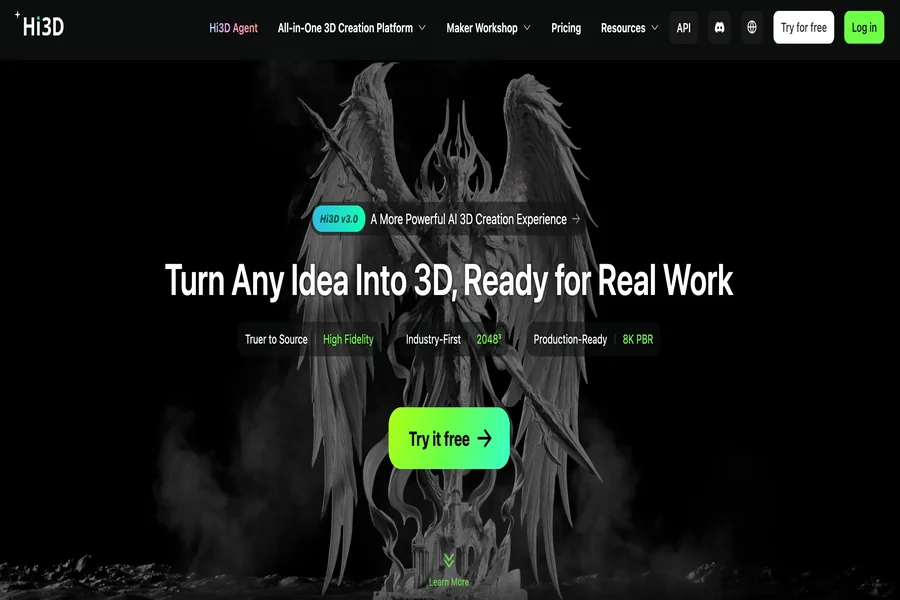

Visual communication plays an important role in how people understand ideas, evaluate designs, and interact with digital content. Photographs and illustrations can communicate an object’s appearance, but they cannot always convey its complete shape or spatial characteristics. Three-dimensional content offers another way to explore visual information, allowing people to examine objects from different angles and understand their form more intuitively. Hi3D is an AI-powered platform that helps users transform visual references and creative concepts into three-dimensional assets. As a free AI 3D model generator, it makes 3D creation more accessible, providing opportunities for artists, educators, businesses, and hobbyists to communicate ideas through digital objects rather than relying exclusively on conventional images.
Bridging the Gap Between Two-Dimensional Images and Three-Dimensional Ideas
Images are among the most common ways people share information. A photograph can show what a product looks like, an illustration can explain a design concept, and a drawing can communicate the appearance of an imagined object. However, these representations leave some spatial information to the viewer’s imagination. Hi3D helps address this limitation by enabling users to generate three-dimensional models from suitable visual references.
The platform’s image-to-3D capability uses AI to interpret the visible features of an image and produce a corresponding model. Instead of manually reconstructing the entire object, users can begin with an existing visual reference and examine its three-dimensional interpretation.
This process can be useful when the main objective is to understand the form of an object rather than simply reproduce its appearance in a flat image. A designer may want to inspect the proportions of a decorative item, while a student could use a generated model to explore the shape of an unfamiliar object. Independent creators can also use the technology to investigate how an illustration might look as a physical or digital form.
The resulting model is an AI-generated interpretation, not necessarily an exact reconstruction. Hidden surfaces, unclear proportions, and details absent from the original image may be represented imperfectly. Nevertheless, the ability to move from a flat reference to a three-dimensional representation creates another way to explore visual information.
Making Three-Dimensional Design More Approachable
Traditional 3D modeling software provides extensive creative control, but its interfaces and workflows can be challenging for newcomers. Users may need to understand coordinate systems, mesh structures, material settings, and numerous modeling operations before they can produce a satisfactory result. Hi3D offers a more accessible starting point by allowing users to rely on AI-assisted generation instead of constructing every element manually.
This approach is particularly useful for people who have an idea but lack formal modeling experience. A hobbyist might want to create an unusual decorative object, while a small business owner may need a preliminary representation of a product concept. Both can begin with visual references rather than learning an entire modeling application before making progress.
Accessibility does not mean that every task becomes effortless. Users still need to select appropriate inputs, evaluate the generated result, and decide whether additional work is necessary. More demanding projects may require specialist software or professional modeling skills.
The distinction is that Hi3D can reduce the initial technical burden. Instead of making manual construction the first step, users can begin by evaluating an AI-generated model and learning what needs to change. This can make experimentation less intimidating and help newcomers develop a practical understanding of three-dimensional content.
For experienced designers, the same capability offers a different benefit: it provides a way to establish preliminary assets without repeating every basic modeling operation. The platform can therefore support users with different skill levels while allowing them to approach creative tasks in ways that suit their experience.
Communicating Design Concepts More Clearly
A design concept is easier to discuss when everyone involved can see what the creator has in mind. Written descriptions and sketches are useful, but different people may interpret the same reference differently. A three-dimensional representation provides a more concrete object for discussion, helping collaborators evaluate its overall form and appearance.
Hi3D can support this process by turning visual concepts into models that can be examined from multiple viewpoints. Instead of discussing an object’s shape exclusively through a front-facing illustration, participants can inspect the generated asset and identify features that need further consideration.
For example, a designer presenting a new decorative accessory could use a three-dimensional model to communicate its proportions and distinctive contours. A client might find it easier to explain a preferred direction when responding to a visible model rather than imagining the result from a written description.
This can be valuable during early discussions, when a project is still flexible and changes are relatively easy to consider. A generated model gives participants a shared visual reference and can help reveal disagreements before more detailed development begins.
The model should not automatically be treated as a final specification. If exact dimensions, structural integrity, or manufacturing tolerances matter, additional technical documentation and validation will be necessary. Hi3D is most useful here as a communication aid that helps make abstract ideas more tangible before a project advances into more specialized work.
Supporting Visual Learning and Educational Exploration
Learning often becomes easier when abstract information can be connected to something visible. Diagrams, photographs, and illustrations already serve this purpose, but three-dimensional representations can provide another perspective by making spatial relationships easier to examine. Hi3D offers an opportunity to create models from visual references that can support certain educational activities.
In a classroom or independent learning project, a student might use an illustration as the starting point for a three-dimensional representation of an object. Examining the resulting model can encourage questions about its proportions, surfaces, and overall structure. This approach can also help learners compare how an object appears in a flat image and how its shape is represented in three dimensions.
Teachers and students may find this useful when preparing visual materials, exploring design principles, or developing creative assignments. For instance, an art class could investigate how an illustrated character translates into a three-dimensional form, while a design exercise might examine the relationship between an object’s outline and its volume.
The generated model should be treated as a learning aid rather than an unquestionable source of factual information. AI can misinterpret references or generate details that were not present in the original image. Educational activities that depend on scientific accuracy or precise measurements should therefore include verification against reliable sources.
Used thoughtfully, Hi3D can encourage hands-on exploration and give learners another way to engage with visual concepts. It can complement conventional teaching materials without replacing the explanation, discussion, and critical thinking that make learning effective.
Creating More Engaging Digital Content
Online audiences encounter a large amount of visual information every day. Static images remain useful, but creators often need distinctive content to communicate an idea or establish a recognizable style. Three-dimensional assets can introduce additional visual possibilities, and Hi3D helps users develop these assets from images and creative references.
A content creator might use a generated model as part of a themed visual project, while an illustrator could explore a three-dimensional interpretation of an original design. Digital artists may also use generated objects as references when planning a scene or considering how a subject should appear from different angles.
The advantage is not limited to realism. Stylized objects can be equally useful when a project relies on a distinctive artistic identity. A model inspired by a cartoon, fantasy setting, or minimalist design can provide a visual element that complements the surrounding content.
Hi3D also supports text-to-image creation, which can help users explore visual concepts before selecting a direction for three-dimensional development. This is useful when the creator has a general theme but has not yet settled on the subject’s exact appearance.
The generated asset may need further work before it is ready for publication. Lighting, composition, animation, and scene design can all affect the final presentation, depending on the project. Even so, AI-assisted creation provides another route for developing visual material without requiring every asset to be modeled manually from the beginning.
Exploring Material Appearance and Visual Identity
The surface of an object influences how people perceive its character. A smooth, glossy finish may suggest a manufactured product, while a rough or patterned surface can communicate a handmade appearance. Hi3D supports texture-related workflows that help users develop the visual identity of their generated models.
As an AI 3D texture generator, the platform helps introduce color and surface detail to a model, making it more suitable for projects in which appearance matters. The platform also provides stylized texturing capabilities, allowing users to explore visual treatments that differ from a conventional realistic finish.
For example, a simple character model might be given a more illustrative appearance for a creative project. A decorative object could use a distinctive surface treatment to better match a particular theme. Exploring these alternatives can help users determine how a design should look before it is incorporated into a larger composition.
Hi3D supports physically based rendering textures in relevant workflows, providing options for projects that require more detailed material presentation. PBR workflows represent surface properties in ways that compatible rendering systems can interpret, helping materials respond more consistently to different lighting conditions.
The final appearance still depends on the model, texture quality, lighting, and software used to display the asset. Users should review the result in its intended environment to determine whether the material communicates the desired effect.
By combining model generation with texture-related capabilities, Hi3D helps users consider both the shape of an object and the visual qualities that make it distinctive.
Exploring the Relationship Between Digital Models and Physical Objects
Digital design becomes particularly interesting when a model can eventually be turned into something people can hold or display. Three-dimensional printing offers one route from a digital representation to a physical object, and Hi3D includes tools that help users prepare certain models for this process.
A user might begin with a visual reference, generate a model, and then decide whether it is suitable for physical production. The model can be exported in a compatible format and reviewed using appropriate slicing software. This creates a pathway between digital exploration and manufacturing without requiring users to construct every part of the design manually.
Hi3D also offers Split-to-Print and Multi-Color Print features. Model splitting can help divide an object into components when printing it as a single piece is impractical, while multicolor preparation supports workflows involving distinct color regions.
These capabilities are relevant to projects such as decorative objects, figurines, and personalized designs. However, the suitability of a generated model for printing depends on its geometry, dimensions, material requirements, and the capabilities of the selected printer.
Users should inspect wall thickness, small features, connection points, and other manufacturing considerations before starting production. A model that looks attractive on a screen may still require adjustments to print reliably.
The important distinction is that digital generation provides a starting point rather than guaranteeing a finished physical product. Hi3D helps connect these stages, while appropriate preparation and testing remain necessary for successful manufacturing.
Adapting AI Creation to Different Professional Needs
Different professions use three-dimensional content for different reasons. Artists may prioritize appearance, educators may focus on clarity, and businesses may need visual assets to communicate product ideas. Hi3D’s combination of generation and output options allows users to approach these needs without assuming that every project requires the same workflow.
For artists, the platform can provide preliminary models that help explore composition, shape, and visual direction. For educators, it can support the development of illustrative materials that make certain spatial concepts easier to discuss. For small businesses, generated models can serve as early visual references when evaluating the appearance of a potential product.
Digital content teams may use AI-generated assets as starting points for scenes or presentations. Hobbyists can experiment with personal designs, while more experienced creators can export the resulting models for further development in compatible software.
These uses have different requirements, so the appropriate workflow should be selected according to the intended result. A classroom illustration may prioritize recognizable shapes, while a commercial visualization may require closer attention to proportions and surface quality. A model intended for manufacturing introduces additional technical considerations.
Hi3D does not automatically satisfy every professional requirement. Some assets will need further modeling, quality assurance, or specialist review. Its role is to help establish a usable starting point and provide options for continuing the work in a way that fits the user’s goals.
Moving Between Creation and Further Development
A generated model rarely exists in isolation. It may become part of a presentation, a digital scene, an animation project, or a manufacturing workflow. Hi3D supports several common export formats, giving users options for moving their assets into compatible applications.
Formats such as OBJ, GLB, and FBX are commonly used in digital content workflows, while STL and 3MF are associated with 3D printing. USDZ supports compatible augmented reality applications. Each format handles information differently, so the choice should reflect the requirements of the receiving software.
For example, a digital presentation may need geometry and material information, while a printing workflow may focus primarily on the model’s surface geometry. Users should confirm that the exported asset retains the information needed for its next application.
Further development can take place in dedicated software when more precise control is required. A designer might refine a model’s structure, an artist could incorporate it into a larger scene, or a technical specialist may evaluate whether it meets a particular production standard.
This ability to continue working beyond the original platform makes Hi3D useful as one part of a broader creative process. Users can benefit from AI-assisted generation while retaining the option to use established tools for more specialized tasks.
Making Three-Dimensional Creativity More Accessible
Three-dimensional content offers new ways to represent objects, communicate concepts, and explore visual ideas. Yet traditional modeling workflows can make it difficult for newcomers to move from an initial idea to a usable asset. Hi3D addresses this challenge by combining AI-powered generation with tools for developing the appearance and preparing the output of three-dimensional models.
Its image-to-3D capabilities help users work from familiar visual references, while text-to-image generation supports the exploration of concepts that have not yet been fully defined. Texture-related features add further opportunities to develop a distinctive visual style, and export options allow models to continue into compatible digital or physical workflows.
The platform is not a replacement for every aspect of professional design. Generated models may require correction, and projects involving precise engineering, complex animation, or strict manufacturing requirements still need appropriate expertise and validation. Understanding these limits helps users apply the technology where it offers the greatest value.
For individuals and organizations interested in making visual information more tangible, Hi3D provides an accessible starting point. By helping users translate images and creative ideas into three-dimensional content, it expands the ways they can explore designs, communicate concepts, and develop assets for a variety of creative purposes.