How to Get a More Consistent VPN Connection with iTop VPN Dedicated IP Servers
From watching movies and playing multiplayer games to downloading large files, many everyday online activities rely on a dependable internet connection. While a VPN can help protect online privacy, the type of server users connect to can also influence their browsing experience.
Most VPN services use shared IP addresses, which may change between connections. For users who prefer to connect with the same IP address regularly, a dedicated IP offers an alternative.
iTop VPN provides specialized Dedicated IP servers alongside its extensive global server network. These options give users greater flexibility when choosing a connection for entertainment, gaming, and everyday internet use.
Dedicated IP vs. Shared IP: What’s the Difference?
When connecting to a standard VPN server, users typically receive an IP address that is also used by other people. The assigned address may be different each time they establish a new connection.
A dedicated IP works differently. It allows users to connect using a fixed IP address assigned specifically to them. Maintaining the same VPN address can help reduce disruptions associated with frequent IP changes, particularly when accessing services that recognize previous login locations.
This makes dedicated IPs worth considering for regular streaming, gaming, and website access. However, having a dedicated IP does not automatically guarantee faster speeds, as performance also depends on server distance, network congestion, and the quality of the user’s internet connection.
A Closer Look at iTop VPN’s Dedicated IP Servers
iTop VPN provides Dedicated IP options in four countries: the United States, the United Kingdom, Canada, and Germany. Users can select a location based on their online activities and regional preferences.
Rather than receiving a different IP address across multiple sessions, users can return to their assigned dedicated IP. This offers a more consistent online identity when connecting through the VPN.
Beyond dedicated IPs, iTop VPN maintains a network of over 3,200 servers covering more than 100 locations worldwide. Users can switch between available locations or take advantage of built-in tools that simplify server selection.
Five iTop VPN Features That Give Users More Connection Control
iTop VPN includes several features designed to address different connection, privacy, and browsing requirements.
1. Dedicated IP Servers for Consistent Access
Available in the US, UK, Canada, and Germany, Dedicated IP servers allow users to maintain the same VPN IP address across connections. This is particularly useful for those who frequently visit the same websites, access streaming services, or participate in online gaming sessions.
2. Smart Location for Automatic Server Selection
Users do not always need to spend time comparing different VPN locations. With Smart Location, iTop VPN automatically identifies a suitable server, making it easier to establish a connection without going through the entire server list.
3. Connect Assistant for Different Online Activities
Different online tasks may benefit from different server choices. Connect Assistant helps users narrow down their options based on what they intend to do online, including video streaming, gaming, file downloading, social networking, and general browsing.
4. Double VPN for Additional Privacy
Instead of sending internet traffic through a single VPN server, Double VPN routes it through two servers. This creates an additional layer of protection and makes it more difficult for third parties to associate online activity with the user’s original IP address.
5. Split Tunneling for Customized VPN Usage
Not every application needs to run through a VPN. Split Tunneling lets users specify which apps and websites should use the encrypted connection and which should continue using their standard internet connection.
For instance, a user can connect a streaming app through the VPN while keeping other applications on the local network.
How to Change and Hide Your IP Address Using iTop VPN
Getting started with iTop VPN on a Windows computer requires only a few simple steps.
Step 1: Download and Set Up iTop VPN
Visit the official iTop VPN website or download the Windows installation file directly. Complete the installation by following the on-screen instructions.
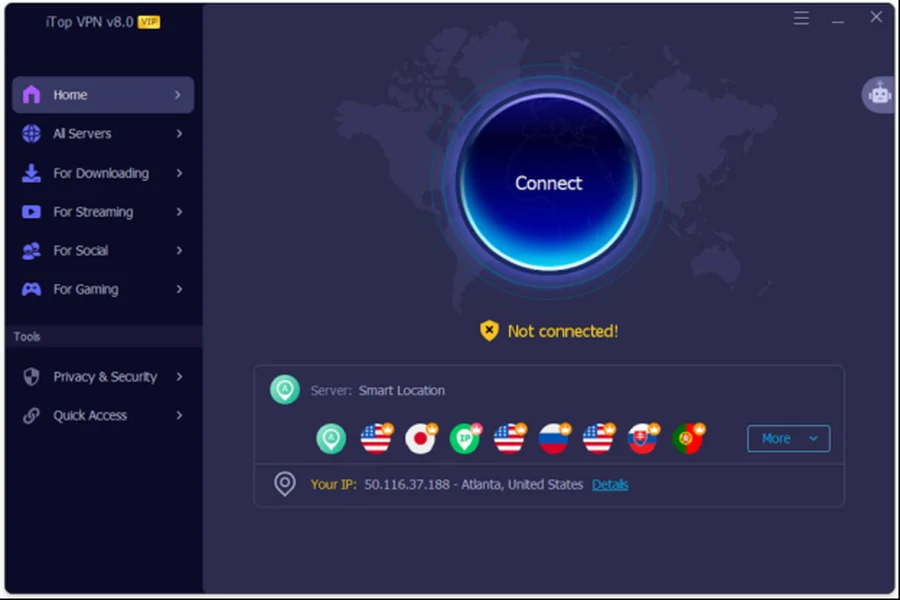
After opening the program, users will find a prominent Connect button on the main interface, along with quick access to frequently used server locations.
Step 2: Choose Your Preferred VPN Location
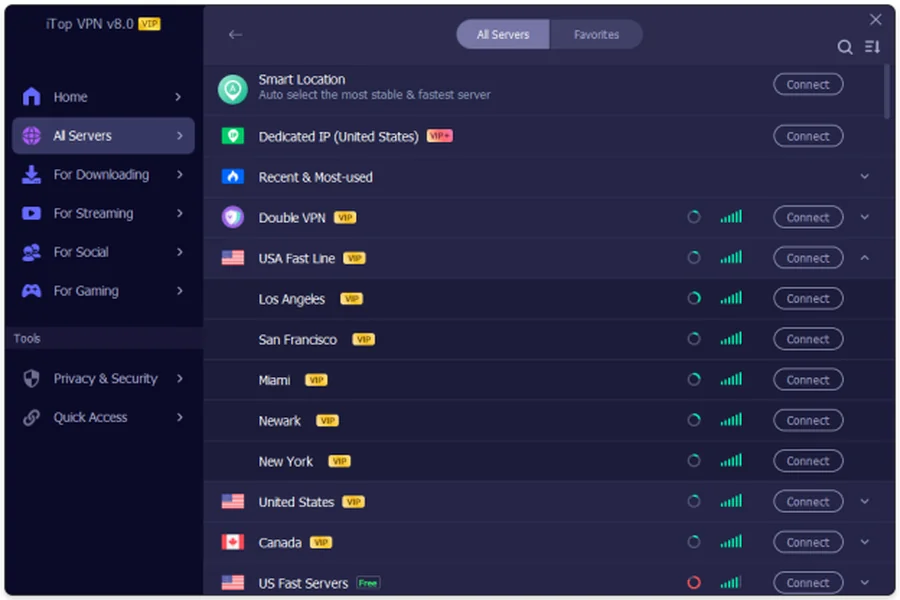
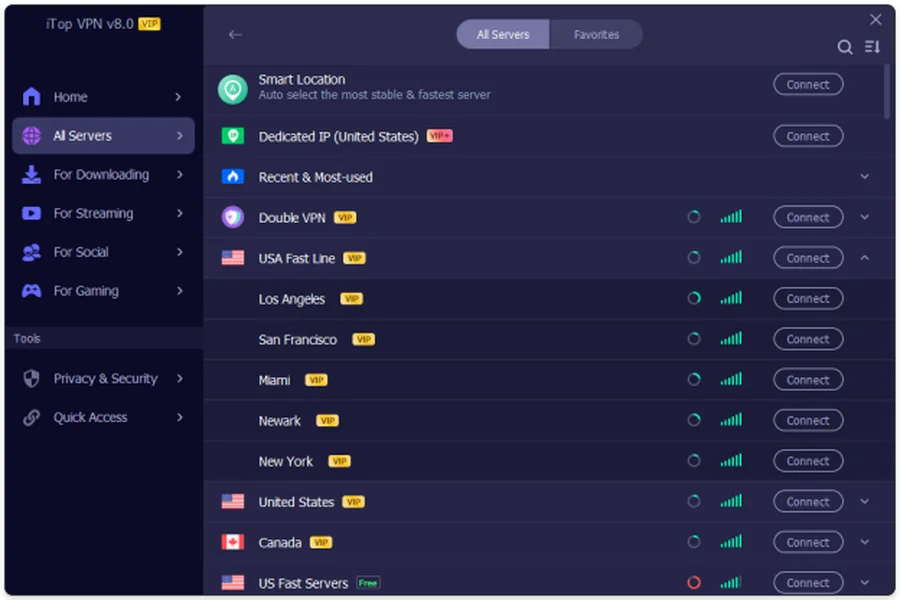
Open the server list to explore more than 3,200 servers across 100+ locations. Select a country that matches your browsing requirements, or choose a nearby server to help minimize latency.
Users who need a fixed VPN address can explore the available Dedicated IP options.
Step 3: Establish the VPN Connection
Click Connect to activate the VPN. The application will create an encrypted connection between the computer and the selected VPN server. Wait until the interface confirms that the connection has been successfully established.
Step 4: Verify the Assigned IP Address
Launch a web browser and search for “What is my IP address?” Review the displayed IP address and its approximate geographical location.
If the VPN is connected correctly, the results should reflect the VPN server rather than the original internet connection.
Additional Tools for Safer Everyday Browsing
In addition to its server selection features, iTop VPN offers several security and privacy tools that users can incorporate into their daily online activities.
The Kill Switch automatically blocks internet access when the VPN disconnects unexpectedly, helping prevent the user’s real IP address from being exposed. The Ads Block browser extension filters unwanted advertisements, pop-ups, and online trackers for a less cluttered browsing experience.
Dark Web Monitor provides another privacy-focused feature by checking for potential personal information exposure and notifying users when compromised data is detected.
A single premium account also supports up to eight simultaneous device connections, allowing users to secure multiple devices without purchasing separate subscriptions.
For Windows users, iTop VPN is compatible with Windows 11, 10, 8, and 7, including Windows on ARM devices.
Conclusion
Choosing a VPN server involves more than simply selecting a country. For users who value a consistent IP address, dedicated servers offer an alternative to conventional shared VPN connections.
With Dedicated IP servers, a global network of more than 3,200 servers, activity-based server recommendations, and customizable privacy features, iTop VPN gives users multiple ways to manage their internet connections.
Whether the priority is streaming, online gaming, downloading files, or private browsing, users can select the server type and connection settings that best suit their everyday needs.



Leave a Reply