
If you have ever felt overwhelmed by the sheer number of repetitive tasks you handle each day, you are not alone. Whether you are managing data between spreadsheets, sending automated emails, or syncing information across various software platforms, the manual effort adds up quickly. This is where modern automation tools step in to save the day.
If you are a developer, a business owner, or just someone looking to streamline your digital life, understanding the power of workflow automation is essential. Today, we are looking at a platform that has changed how people connect their favorite apps.
It is a powerful, flexible, and highly customizable tool that puts you in the driver seat of your digital operations. By the end of this article, you will understand exactly how this system works and why it might be the missing piece in your productivity puzzle.
Understanding the Core Concept of N8n
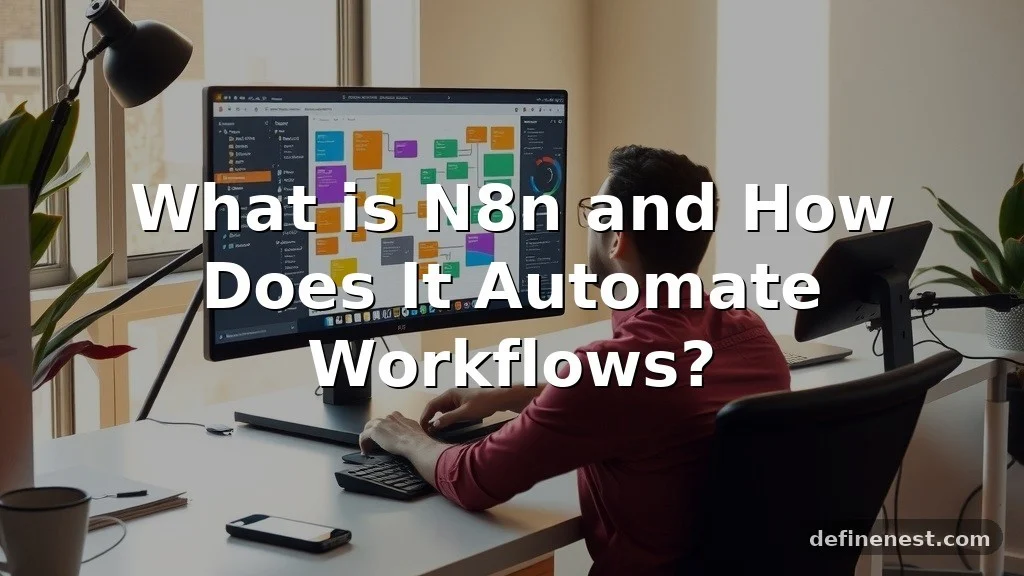
At its heart, this platform is a workflow automation tool that allows you to connect different services and applications without needing to write massive amounts of custom code. It operates on a node-based architecture, which means you build your processes by linking together individual blocks or nodes that perform specific actions. Each node might represent a task, such as fetching data from a database, sending a message on Slack, or updating a record in a CRM.
The beauty of this system lies in its visual interface. Instead of staring at lines of complex script, you see a canvas where you can draw connections between your apps. This makes it incredibly intuitive for both technical users and those who are just starting their journey into automation.
Because it is highly extensible, you are not limited to a small list of pre-built integrations. If a specific service has an API, you can almost certainly connect it to your workflow.
Think of it like a digital conductor for your software. You set the rules, define the triggers, and the platform handles the execution in the background.
Whether you want to automate a simple notification system or build a complex data processing pipeline, the flexibility remains constant. By utilizing this approach, you can save dozens of hours every week, allowing you to focus on the creative or strategic parts of your job that actually require human insight rather than robotic repetition.
The History and Evolution of Workflow Automation
Automation has come a long way from the early days of simple scripts and clunky batch processing. Historically, if you wanted two programs to talk to each other, you needed to hire a software engineer to build a custom bridge between them.
This was expensive, time-consuming, and difficult to maintain. As the internet grew, the number of individual web services exploded, creating a massive need for a more accessible way to link these systems together.
The rise of low-code and no-code platforms marked a significant turning point in the industry. Developers realized that while custom code is powerful, it is also fragile. By creating modular, visual interfaces, they allowed users to build reliable automations that were easy to debug and update.
This specific platform emerged as a champion of this philosophy, offering a unique middle ground. It provides the visual ease of a no-code tool but keeps the door wide open for developers who want to dive into the code node to write custom logic.
Today, this tool has become a staple for teams looking for privacy and control. Unlike many hosted alternatives that lock your data into their own cloud infrastructure, this solution allows for self-hosting.
This shift toward local control has made it a favorite among privacy-conscious companies and those operating in regulated industries. The evolution continues as the platform adds more pre-built integrations and smarter features, proving that the future of work is undeniably automated and increasingly modular.
How to Use Nodes and Workflows in Daily Tasks
To get started, you need to understand how a workflow actually functions. Every workflow begins with a trigger. This could be a specific event, like a new form submission, or a scheduled time, like every Monday at 9 AM.
Once the trigger fires, the data passes through a series of nodes. You might have a node that cleans the data, another that checks a condition, and a final node that sends the result to an email service.
Let’s look at a quick dialogue to see how this feels in practice:
“I am tired of manually copying leads from my contact form to my spreadsheet,” says Sarah.
“Why don’t you use a workflow to do that for you?” asks Mark.
“I don’t know how to code, though,” Sarah replies.
“You don’t have to,” Mark explains. “You just drag a form node, connect it to a spreadsheet node, and set it to run automatically.”
This visual way of thinking is the core of the experience. You can test your workflows in real-time, seeing the data pass from one step to the next. If something goes wrong, you can click on the specific node to see exactly what data entered and what left it.
This level of visibility is a game-changer for debugging. Whether you are using it for personal organization or professional data management, the ability to see the path of your information is invaluable. You can learn more about how these systems function by visiting the official documentation to explore the technical architecture.
Common Misconceptions and Clarifications
One of the biggest myths about this platform is that it is only for expert developers. While it is true that having a background in programming helps, it is certainly not a requirement.
Many people start by using the built-in integrations and never have to touch a single line of code. The interface is designed to guide you through the process, and the community provides a wealth of templates that you can import and modify to suit your needs.
Another common misconception is that self-hosting is too difficult for the average user. While it does require a basic understanding of server environments, there are many one-click deployment options available today. You do not need to be a systems administrator to get a private instance running.
Furthermore, some people worry that because it is a powerful tool, it might be insecure. In reality, self-hosting actually gives you more security because your data never leaves your own infrastructure. You control the environment variables, the access logs, and the updates.
Finally, there is a belief that this tool is only for big businesses. While it is certainly robust enough for enterprise use, it is equally effective for individual freelancers or small startups.
The pricing model, especially for the self-hosted version, is incredibly generous, making it accessible to anyone with a computer and a bit of curiosity. Don’t let the technical terminology intimidate you; the barrier to entry is much lower than you think.
Similar Tools and How They Compare
When you look at the market, you will see many task runners and automation services. Some are entirely no-code, focusing on simplicity at the expense of flexibility. Others are entirely code-based, requiring you to write every integration from scratch.
This platform sits in the “sweet spot” between these two worlds. It provides the visual canvas of a no-code tool but offers the deep control of a code-based environment.
| Feature | No-Code Platforms | This Platform | Custom Scripts |
|---|---|---|---|
| Visual Interface | Yes | Yes | No |
| Custom Code Support | Limited | High | Total |
| Data Privacy | Varies | High (Self-hosted) | High |
| Ease of Setup | Very High | Medium | Low |
As shown in the table, the main advantage of this tool is the balance. You can start simple and grow into more complex configurations. If you find that a built-in node is not doing exactly what you need, you can use the code node to write a custom function in JavaScript or Python to handle the logic.
This prevents you from hitting a “ceiling” where the tool can no longer solve your problem. You have the freedom to build exactly what you need without being restricted by the limitations of a closed, proprietary system.
Responding to Workflow Challenges
When you encounter an issue in your automation, the response style depends on your goals. If you are working in a professional team, you need to be methodical. Always document your workflows, use clear names for your nodes, and keep your logic simple.
If a workflow becomes too complex, break it into smaller sub-workflows. This makes it easier for your team members to understand and maintain the process later.
If you are a solo user, you might prefer a more experimental approach. You can quickly prototype an idea, test it, and discard it if it doesn’t work. The ability to iterate quickly is one of the greatest strengths of this platform.
If you get stuck, look at the error logs. The system is designed to give you specific feedback on which node failed and why.
“My automation stopped working after the update,” says Alex.
“Did you check the environment variables?” asks Jamie.
“I forgot to update the API key in the settings,” Alex realizes.
“That happens to everyone! Just refresh the credentials and test the node again,” suggests Jamie.
This dialogue highlights the importance of checking your settings and credentials. Most of the time, “broken” workflows are just misconfigured connections. By staying calm and checking the error messages, you can solve almost any issue in minutes.
Regional and Cultural Usage Patterns
While the technical language of automation is universal, the way people use these tools can vary by region. In some parts of the world, there is a heavy focus on using automation to manage local e-commerce platforms or regional payment gateways. In others, the focus might be on integrating with social media platforms that are popular in that specific demographic.
The community surrounding this tool is global. You will find forums and chat groups where people from all over the world share their workflows.
This is a great place to see how different cultures handle data privacy regulations, such as GDPR in Europe. Because you can control where your data is stored, this tool is particularly popular in regions with strict data residency requirements.
Language is rarely a barrier because the core of the tool is visual. However, you will find documentation and community support available in many different languages.
Whether you are working in a bustling tech hub in Asia or a small office in South America, the problems you are trying to solve are often the same: saving time, reducing errors, and getting more done with less effort. The global nature of the community means there is almost always someone awake and willing to help you solve your problem, regardless of your time zone.
Leveraging Online Communities and Dating Apps
It might seem strange to talk about automation in the context of dating apps or social media, but there is a growing trend of using these tools for personal efficiency. For example, some people use automation to curate their social media feeds or to get alerts when specific content is posted. While you should always respect the terms of service of the platforms you are interacting with, the ability to filter and organize information is a powerful use case.
In gaming communities, power users often use these tools to keep track of leaderboards, update wikis, or manage community discord servers. By setting up a workflow that pulls data from a game API, they can provide real-time updates to their friends.
“I set up an alert to tell me whenever a rare item appears on the market,” says Sam.
“Isn’t that cheating?” asks Riley.
“No, I am just aggregating public data. It saves me from checking the site every ten minutes,” Sam explains.
This is a perfect example of using automation to gain a small advantage without breaking any rules. The key is to be respectful of API rate limits and to avoid spamming the services you are connecting to. When used responsibly, these tools can turn a chaotic digital environment into a highly organized and efficient personal dashboard.
Addressing Potential Security and Professional Concerns
When integrating these tools into a professional setting, security must be your top priority. Always ensure that you are using secure credentials and that you are not exposing your API keys in any public repositories. If you are using the self-hosted version, keep your server updated and use strong authentication methods to access your dashboard.
In a professional environment, you should also consider the “human in the loop” principle. For critical business processes, it is often better to have an automation prepare a draft that a human reviews before it is sent or published.
This prevents accidental errors from causing real-world problems. For example, if you are automating customer emails, have the workflow save the email as a draft in your inbox so you can perform a quick quality check before clicking send.
Professionalism also means keeping your workflows clean and organized. Use descriptive names for your workflows and add notes to explain what each section does.
This is crucial if you are working in a team environment where others might need to take over your work. By following these best practices, you can build powerful, reliable systems that impress your colleagues and keep your operations running smoothly.
Frequently Asked Questions
1. Is this platform free to use? Yes, there is a powerful self-hosted version that is open-source and free to use for personal and commercial projects.
2.
Do I need to know how to code? No, you can build many workflows using only the visual interface, though knowing a bit of JavaScript helps with advanced tasks.
3. Can I use this for my business?
Absolutely. Many companies use this to automate their CRM, marketing, and internal data processes.
4. What is a code node?
A code node is a specific step where you can write custom JavaScript or Python to perform complex logic that isn’t possible with built-in nodes.
5. Is my data safe? If you self-host, your data stays on your own servers, giving you full control over your privacy and security.
6.
What if I get stuck? There is a very active community forum where you can ask for help, as well as extensive official documentation.
7.
Can I connect to any app? If an app has a public API, you can almost certainly connect to it using the HTTP request node.
Final Thoughts
Workflow automation is no longer a luxury for large corporations; it is a necessity for anyone looking to stay productive in our fast-paced digital world. By understanding how to use nodes, workflows, and custom logic, you can transform your daily routine and eliminate the grind of manual tasks. Whether you are a developer looking to optimize your stack or a business owner trying to save time, this platform provides the tools you need to succeed.
Remember to start small, experiment often, and always keep your data secure. The power to build your own custom solutions is now in your hands, and the only limit is your own creativity. Start building your first workflow today and see how much time you can win back for the things that truly matter.